

Killing IntelliJ Launched Processes
By
 ·
·
Interview
·
·
Interview
Join the DZone community and get the full member experience.
Join For FreeI often use IntelliJ to run applications,
and on occasion things go wrong. For example, a thread that wont
terminate can cause a running application to become unstoppable via the
IntelliJ UI. Usually when this happens I end up running ps aux | grep java and following up with a kill -9
for each process that looks like it might be the one I'm looking for.
On good days there's only a few processes; however, things are more
complicated when I have several to look through.
Last week I noticed that the command used to launch the process printed in the Console window, and, more importantly, the idea.launcher.port is part of that command: e.g. idea.launcher.port=7538. Assuming the port is unique, or even almost unique it's much easier to ps aux | grep for than java.
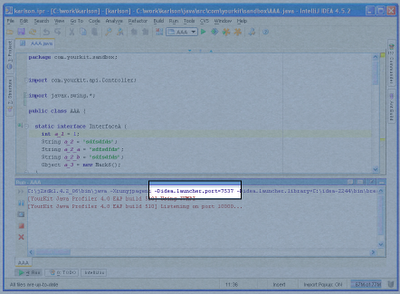
Last week I noticed that the command used to launch the process printed in the Console window, and, more importantly, the idea.launcher.port is part of that command: e.g. idea.launcher.port=7538. Assuming the port is unique, or even almost unique it's much easier to ps aux | grep for than java.

intellij
Published at DZone with permission of Jay Fields, DZone MVB. See the original article here.
Opinions expressed by DZone contributors are their own.
Comments