

Installing LaTeX on Ubuntu
From theses to reports and books, LaTeX is a pretty useful document markup language. Learn how to install the Tex Live distribution here.
Join the DZone community and get the full member experience.
Join For FreeLaTeX is a markup language for describing a document. It can also be defined as a document preparation system. LaTeX is mainly used to create technical or scientific articles, papers, reports, books or Ph.D. thesis.
There are a number of LaTeX distributions you can install on Ubuntu. One such distribution is TeX Live.
- To install Tex Live LaTeX distribution on ubuntu use the following command.
- To edit LaTeX documents we need an editor. There are a number of LaTeX editors you can find. I recommend Texmaker, a cross-platform LaTeX editor. To install Texmaker on Ubuntu use following command.
- To open Texmaker on Ubuntu use following command.
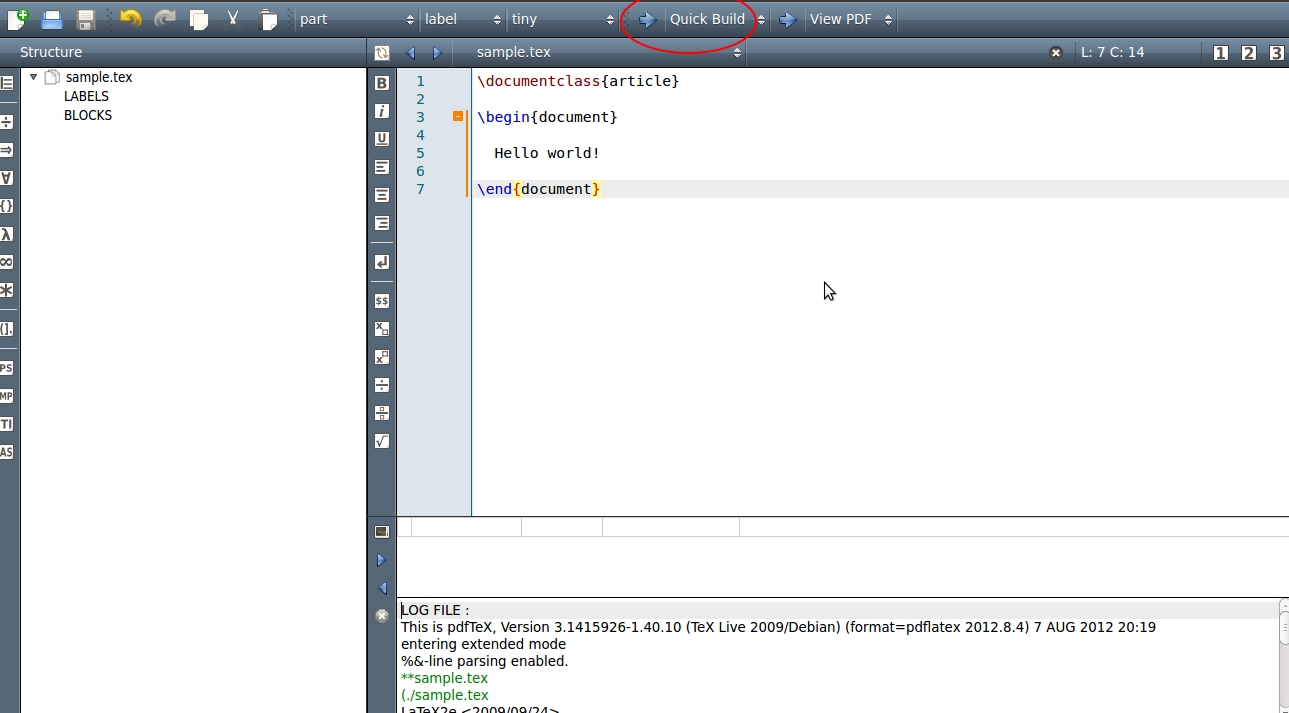
- Now let's create a simple document using Texmaker. Click on File -> New and insert following lines in the blank document.
- Now save the document as a 'tex' file by clicking File -> Save. Compile the document clicking the arrow Quick Build.
![]()
You can learn more about LaTeX by referring to this link.
Published at DZone with permission of Pavithra Gunasekara, DZone MVB. See the original article here.
Opinions expressed by DZone contributors are their own.
Comments